

Creating a smooth stacked cards animation in Flutter
December 6, 2024
Hey Flutter enthusiasts! 👋
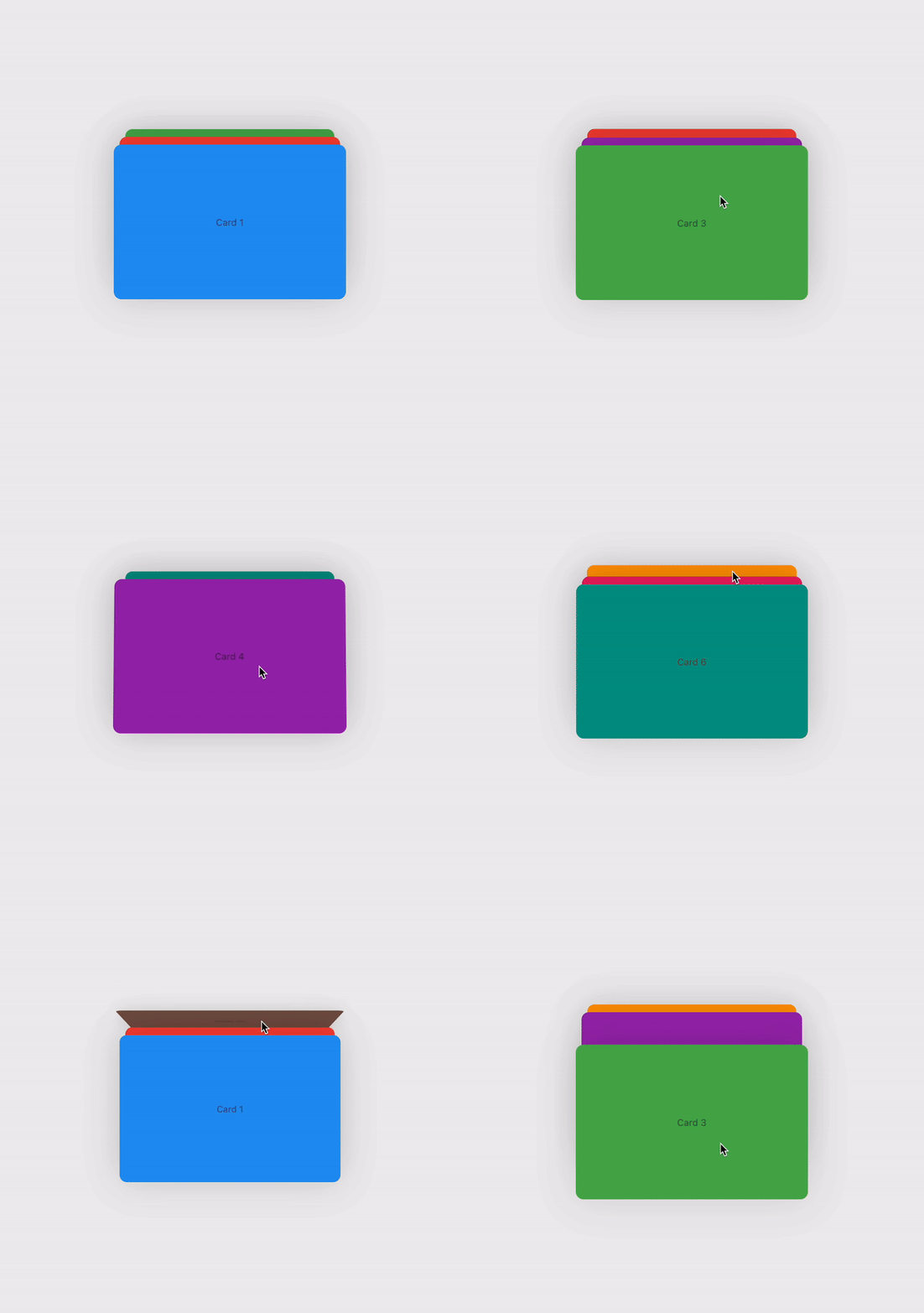
Welcome back to another Flutter tutorial. In this blog, we’ll explore how to create a smooth and interactive 3-card swiper animation in Flutter. By the end of this tutorial, you’ll have a cool card swiper that you can customize and use in your own projects.
Here’s a sneak peek of what we’ll be building:
Ready to dive in? Let’s get started! 🚀
TL;DR
I know, as developers, we’re often short on time. While I do recommend taking a moment to understand the “how,” sometimes you just want to get it done. That’s why I’ve packaged this 3-card swiper animation into a convenient pub package. You can start using it directly from here: flip_card_swiper.
Now that we’ve got that covered, let’s dive right into this awesome animation! 🚀
Introduction
Card swipers are a popular UI element in many apps, providing an interactive way for users to browse through content. They allow users to swipe through a stack of cards with smooth animations and intuitive interactions.
In this tutorial, we’ll build a customizable card swiper widget in Flutter that can display any content you like. We’ll go through the implementation step by step, explaining the code and the concepts involved.
Prerequisites
Before we begin, make sure you have the following:
- Flutter SDK installed on your machine.
- Basic knowledge of Flutter and Dart.
- An IDE like VS Code or Android Studio.
Setting Up the Project
First, let’s create a new Flutter project. Open your terminal and run:
flutter create card_swiper
Navigate to the project directory:
cd card_swiper
Open the project in your favorite IDE. I’m using VS Code:
code .
Implementing the Card Swiper Widget
Our card swiper widget will handle the animation and interaction logic. We’ll create a new widget called CardsSwiperWidget that we can reuse and customize.
Step 1: Creating the Basic Structure
In your lib directory, open main.dart. Let's start by setting up a basic app structure.
import 'package:flutter/material.dart';

void main() => runApp(const MyApp());

class MyApp extends StatefulWidget {
  const MyApp({super.key});

  @override
  State<MyApp> createState() => _MyAppState();
}
Step 2: Defining the Card Data
We’ll need some data to display on our cards. Let’s create a list of cards, each with a color and text.
class _MyAppState extends State<MyApp> {
  final List<Map<String, dynamic>> cards = [
    {'color': Colors.blue, 'text': 'Card 1'},
    {'color': Colors.red, 'text': 'Card 2'},
    {'color': Colors.green, 'text': 'Card 3'},
    // Add more cards if you like
  ];

  @override
  Widget build(BuildContext context) {
    return MaterialApp(
      title: 'Card Stack Animation',
      home: Scaffold(
        body: Center(
          // We'll add our CardsSwiperWidget here
        ),
      ),
    );
  }
}
Step 3: Implementing the CardsSwiperWidget
Now, let’s create the CardsSwiperWidget. This widget will handle the card stack, animations, and user interactions.
Create a new file called cards_swiper_widget.dart in the lib directory.
import 'package:flutter/material.dart';
import 'dart:math';

class CardsSwiperWidget<T> extends StatefulWidget {
  final List<T> cardData;
  final Widget Function(BuildContext context, int index, int visibleIndex) cardBuilder;
  final Duration animationDuration;
  final double maxDragDistance;
  final double thresholdValue;
  final void Function(int)? onCardChange;

  const CardsSwiperWidget({
    required this.cardData,
    required this.cardBuilder,
    this.animationDuration = const Duration(milliseconds: 800),
    this.maxDragDistance = 220.0,
    this.thresholdValue = 0.3,
    this.onCardChange,
    super.key,
  });

  @override
  State<CardsSwiperWidget<T>> createState() => _CardsSwiperWidgetState<T>();
}
Explanation
- Generic Widget: We use <T> to make the widget generic, allowing it to handle any type of card data.
- Parameters:
- cardData: The list of data for the cards.
- cardBuilder: A function that builds the card widget for each card.
- animationDuration: Duration of the swipe animation.
- maxDragDistance: Maximum distance the card can be dragged.
- thresholdValue: Threshold to determine if the card should be swiped away.
- onCardChange: Callback when the top card changes.
Step 4: Building the State Class
In the same file, continue with the state class:
class _CardsSwiperWidgetState<T> extends State<CardsSwiperWidget<T>> with TickerProviderStateMixin {
  late AnimationController _controller;
  late Animation<double> _yOffsetAnimation;
  late Animation<double> _rotationAnimation;

  double _startAnimationValue = 0.0;
  double _dragStartPosition = 0.0;
  double _dragOffset = 0.0;
  bool _isCardSwitched = false;
  bool _hasReachedHalf = false;

  late List<T> _cardData;

  @override
  void initState() {
    super.initState();

    // Copy the card data to allow modifications
    _cardData = List.from(widget.cardData);

    // Initialize the AnimationController
    _controller = AnimationController(
      duration: widget.animationDuration,
      vsync: this,
    );

    // Create a CurvedAnimation
    final _animation = CurvedAnimation(
      parent: _controller,
      curve: Curves.easeInOut,
    );

    // Define the yOffset animation
    _yOffsetAnimation = Tween<double>(
      begin: 0.0,
      end: -widget.maxDragDistance,
    ).animate(_animation);

    // Define the rotation animation
    _rotationAnimation = Tween<double>(
      begin: 0.0,
      end: -pi,
    ).animate(_animation);

    // Listen to the animation value to switch cards
    _controller.addListener(() {
      if (!_isCardSwitched && _controller.value >= 0.5) {
        // Move the top card to the back
        var firstCard = _cardData.removeAt(0);
        _cardData.add(firstCard);

        _isCardSwitched = true;

        // Trigger the callback with the new top card index
        if (widget.onCardChange != null) {
          widget.onCardChange!(widget.cardData.indexOf(_cardData[0]));
        }
      }

      // Reset the switch flag when animation resets
      if (_controller.value == 1.0) {
        _isCardSwitched = false;
        _controller.reset();
        _hasReachedHalf = false;
      }
    });
  }

  @override
  void dispose() {
    _controller.dispose();
    super.dispose();
  }
}
Explanation
- AnimationController: Controls the animations of the card’s position and rotation.
- Animations:
- _yOffsetAnimation: Animates the vertical position of the card.
- _rotationAnimation: Animates the rotation of the card.
- Animation Listener: Switches the card when the animation reaches halfway.
Step 5: Handling Gestures
We use GestureDetector to handle vertical drag gestures.
void _onVerticalDragStart(DragStartDetails details) {
  if (_controller.isAnimating) return;

  _startAnimationValue = _controller.value;
  _dragStartPosition = details.globalPosition.dy;
  _controller.stop(canceled: false);
  _hasReachedHalf = false;
}

void _onVerticalDragUpdate(DragUpdateDetails details) {
  if (_controller.isAnimating || _hasReachedHalf) return;

  double dragDistance = _dragStartPosition - details.globalPosition.dy; // Positive when dragging up

  if (dragDistance >= 0) {
    // Dragging up
    double dragFraction = dragDistance / widget.maxDragDistance;
    double newValue = (_startAnimationValue + dragFraction).clamp(0.0, 1.0);
    _controller.value = newValue;

    if (_controller.value >= 0.5 && !_hasReachedHalf) {
      _hasReachedHalf = true;
      _controller.animateTo(1.0, duration: Duration(milliseconds: 200));
    }
  }
}

void _onVerticalDragEnd(DragEndDetails details) {
  if (_controller.isAnimating) return;

  if (!_hasReachedHalf) {
    if (_controller.value >= widget.thresholdValue) {
      _controller.animateTo(1.0, duration: Duration(milliseconds: 200));
    } else {
      _controller.animateBack(0.0, duration: Duration(milliseconds: 200));
    }
  }
}
Explanation
- _onVerticalDragStart: Called when the user starts dragging.
- _onVerticalDragUpdate: Updates the animation based on the drag distance.
- _onVerticalDragEnd: Completes the animation when the drag ends.
Step 6: Building the Card Stack
In the build method, we build a Stack of cards.
@override
Widget build(BuildContext context) {
  return GestureDetector(
    onVerticalDragStart: _onVerticalDragStart,
    onVerticalDragUpdate: _onVerticalDragUpdate,
    onVerticalDragEnd: _onVerticalDragEnd,
    child: AnimatedBuilder(
      animation: _controller,
      builder: (context, child) {
        return Stack(
          alignment: Alignment.center,
          children: [
            // Third card (if exists)
            if (_cardData.length > 2)
              Transform.translate(
                offset: Offset(0, 20),
                child: widget.cardBuilder(context, widget.cardData.indexOf(_cardData[2]), 2),
              ),
            // Second card
            if (_cardData.length > 1)
              Transform.translate(
                offset: Offset(0, 10),
                child: widget.cardBuilder(context, widget.cardData.indexOf(_cardData[1]), 1),
              ),
            // Top card with animation
            Transform.translate(
              offset: Offset(0, _yOffsetAnimation.value),
              child: Transform.rotate(
                angle: _rotationAnimation.value,
                child: widget.cardBuilder(context, widget.cardData.indexOf(_cardData[0]), 0),
              ),
            ),
          ],
        );
      },
    ),
  );
}
Explanation
- AnimatedBuilder: Rebuilds the widget tree when the animation updates.
- Stack: Places the cards on top of each other.
- Transform.translate: Offsets the position of the cards.
- Transform.rotate: Rotates the top card during the swipe.
Using the CardsSwiperWidget
Back in main.dart, we can now use the CardsSwiperWidget.
import 'package:flutter/material.dart';
import 'cards_swiper_widget.dart'; // Import the widget

void main() => runApp(const MyApp());

class MyApp extends StatefulWidget {
  const MyApp({super.key});

  @override
  State<MyApp> createState() => _MyAppState();
}

class _MyAppState extends State<MyApp> {
  final List<Map<String, dynamic>> cards = [
    {'color': Colors.blue, 'text': 'Card 1'},
    {'color': Colors.red, 'text': 'Card 2'},
    {'color': Colors.green, 'text': 'Card 3'},
  ];

  @override
  Widget build(BuildContext context) {
    return MaterialApp(
      title: 'Card Stack Animation',
      home: Scaffold(
        body: Center(
          child: CardsSwiperWidget(
            cardData: cards,
            onCardChange: (index) {
              print('Top card index: $index');
            },
            cardBuilder: (context, index, visibleIndex) {
              final card = cards[index];
              return Container(
                decoration: BoxDecoration(
                  borderRadius: BorderRadius.circular(10),
                  color: card['color'] as Color,
                ),
                width: 300,
                height: 200,
                alignment: Alignment.center,
                child: Text(
                  card['text'] as String,
                  style: const TextStyle(color: Colors.white, fontSize: 20),
                ),
              );
            },
          ),
        ),
      ),
    );
  }
}
Running the App
Now, let’s run the app and see the result.
flutter run
You should see the card stack, and you can swipe up to see the animation.
Customizing the Animation
You can customize various aspects of the animation by adjusting the parameters in the CardsSwiperWidget. For example:
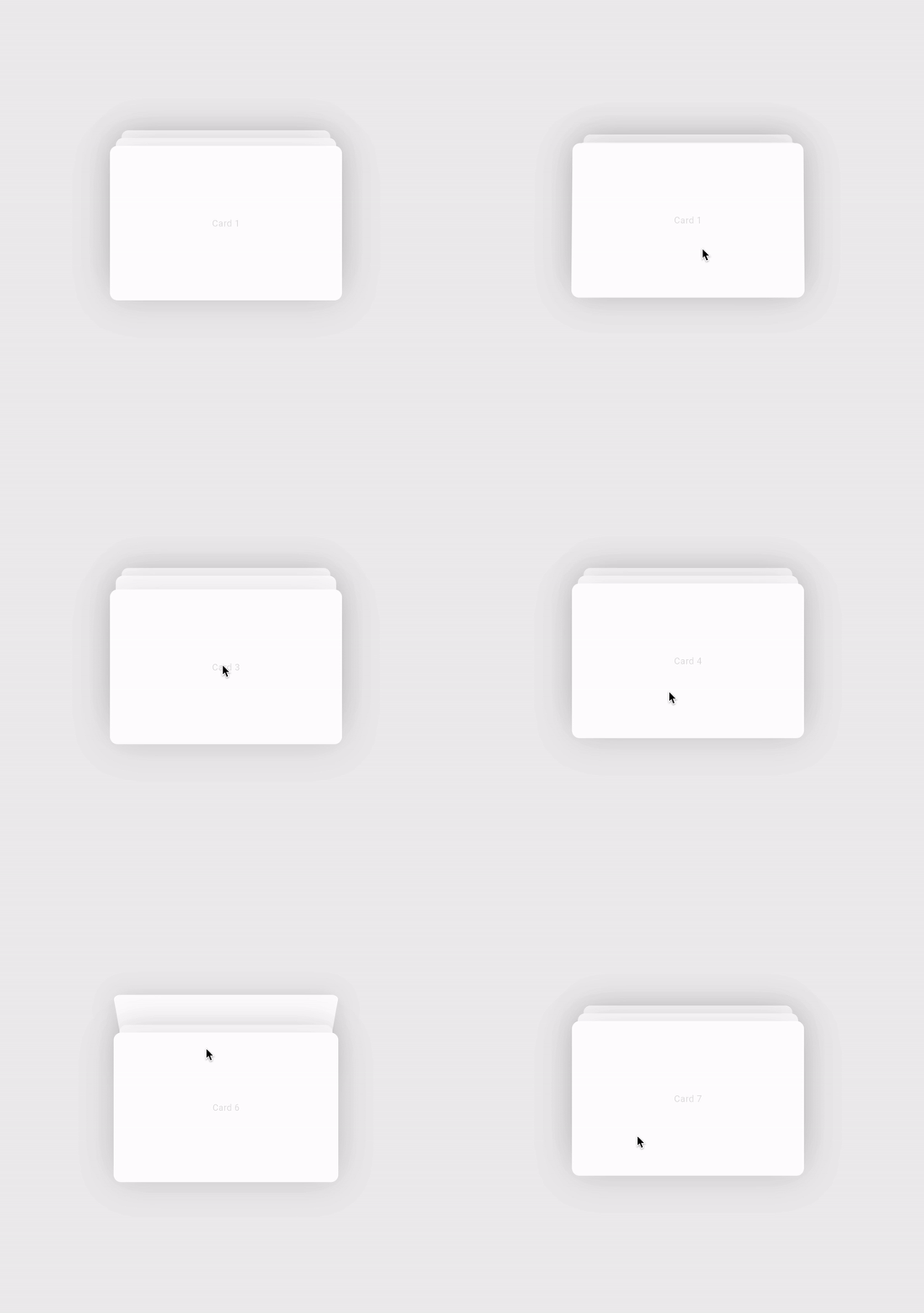
- Animation Duration: Change the animationDuration parameter.
- Maximum Drag Distance: Adjust the maxDragDistance.
- Threshold Value: Set the thresholdValue to control when the card is swiped away.
Full Source Code
For your convenience, here’s the full source code for the CardsSwiperWidget:
import 'package:flutter/material.dart';
import 'package:flutter/services.dart';
import 'dart:math';
import 'dart:async';
void main() => runApp(const MyApp());
class MyApp extends StatefulWidget {
const MyApp({super.key});
@override
State<MyApp> createState() => _MyAppState();
}
class _MyAppState extends State<MyApp> {
bool _shouldPlayAnimation = false;
final List<Map<String, dynamic>> cards = [
{'color': Colors.blue, 'text': 'Card 1'},
{'color': Colors.red, 'text': 'Card 2'},
{'color': Colors.green, 'text': 'Card 3'},
{'color': Colors.purple, 'text': 'Card 4'},
{'color': Colors.orange, 'text': 'Card 5'},
{'color': Colors.teal, 'text': 'Card 6'},
{'color': Colors.pink, 'text': 'Card 7'},
{'color': Colors.amber, 'text': 'Card 8'},
{'color': Colors.indigo, 'text': 'Card 9'},
{'color': Colors.brown, 'text': 'Card 10'},
];
@override
Widget build(BuildContext context) {
return MaterialApp(
title: 'Card Stack Animation',
home: Scaffold(
floatingActionButton: FloatingActionButton(
onPressed: () {
setState(() {
_shouldPlayAnimation = !_shouldPlayAnimation;
});
},
child: Icon(_shouldPlayAnimation ? Icons.pause : Icons.play_arrow),
),
body: Center(
child: CardsSwiperWidget(
onCardCollectionAnimationComplete: (value) {
setState(() {
_shouldPlayAnimation = value;
});
},
shouldStartCardCollectionAnimation: _shouldPlayAnimation,
cardData: cards,
animationDuration: const Duration(milliseconds: 600),
downDragDuration: const Duration(milliseconds: 200),
onCardChange: (index) {},
cardBuilder: (context, index, visibleIndex) {
if (index < 0 || index >= cards.length) {
return const SizedBox.shrink();
}
final card = cards[index];
return AnimatedSwitcher(
duration: const Duration(milliseconds: 300),
transitionBuilder: (Widget child, Animation<double> animation) {
final bool isIncoming = child.key == ValueKey<int>(visibleIndex);
if (isIncoming) {
return FadeTransition(
opacity: animation,
child: child,
);
} else {
return child;
}
},
child: Container(
key: ValueKey<int>(visibleIndex),
decoration: BoxDecoration(
borderRadius: BorderRadius.circular(10),
color: card['color'] as Color,
),
width: 300,
height: 200,
alignment: Alignment.center,
child: Text(
card['text'] as String,
style: const TextStyle(color: Colors.white, fontSize: 20),
),
),
);
},
),
),
),
);
}
}
class CardsSwiperWidget<T> extends StatefulWidget {
final List<T> cardData;
final Duration animationDuration;
final Duration downDragDuration;
final Duration collectionDuration;
final double maxDragDistance;
final double dragDownLimit;
final double thresholdValue;
final void Function(int)? onCardChange;
final Widget Function(BuildContext context, int index, int visibleIndex) cardBuilder;
final bool shouldStartCardCollectionAnimation;
final void Function(bool value) onCardCollectionAnimationComplete;
// Offset and scale parameters
final double topCardOffsetStart;
final double topCardOffsetEnd;
final double topCardScaleStart;
final double topCardScaleEnd;
final double secondCardOffsetStart;
final double secondCardOffsetEnd;
final double secondCardScaleStart;
final double secondCardScaleEnd;
final double thirdCardOffsetStart;
final double thirdCardOffsetEnd;
final double thirdCardScaleStart;
final double thirdCardScaleEnd;
const CardsSwiperWidget({
required this.cardData,
required this.cardBuilder,
this.animationDuration = const Duration(milliseconds: 800),
this.downDragDuration = const Duration(milliseconds: 300),
this.collectionDuration = const Duration(milliseconds: 1000),
this.maxDragDistance = 220.0,
this.dragDownLimit = -40.0,
this.thresholdValue = 0.3,
this.onCardChange,
// Default offset and scale values
this.topCardOffsetStart = 0.0,
this.topCardOffsetEnd = -15.0,
this.topCardScaleStart = 1.0,
this.topCardScaleEnd = 0.9,
this.secondCardOffsetStart = -15.0,
this.secondCardOffsetEnd = 0.0,
this.secondCardScaleStart = 0.95,
this.secondCardScaleEnd = 1.0,
this.thirdCardOffsetStart = -30.0,
this.thirdCardOffsetEnd = -15.0,
this.thirdCardScaleStart = 0.9,
this.thirdCardScaleEnd = 0.95,
this.shouldStartCardCollectionAnimation = false,
required this.onCardCollectionAnimationComplete,
super.key,
});
@override
State<CardsSwiperWidget<T>> createState() => _CardsSwiperWidgetState<T>();
}
class _CardsSwiperWidgetState<T> extends State<CardsSwiperWidget<T>> with TickerProviderStateMixin {
AnimationController? _controller;
Animation<double>? _yOffsetAnimation;
Animation<double>? _rotationAnimation;
Animation<double>? _animation;
AnimationController? _downDragController;
Animation<double>? _downDragAnimation;
AnimationController? _cardCollectionAnimationController;
Animation<double>? _cardCollectionyOffsetAnimation;
double _startAnimationValue = 0.0;
double _dragStartPosition = 0.0;
double _dragOffset = 0.0;
bool _isCardSwitched = false;
bool _hasReachedHalf = false;
bool _isAnimationBlocked = false;
bool _shouldPlayVibration = true;
late List<T> _cardData;
Timer? _debounceTimer;
Widget? _topCardWidget;
int? _topCardIndex;
Widget? _secondCardWidget;
int? _secondCardIndex;
Widget? _thirdCardWidget;
int? _thirdCardIndex;
Widget? _poppedCardWidget;
int? _poppedCardIndex;
Future<void> onCardSwitchVibration() async {
HapticFeedback.lightImpact();
Future.delayed(const Duration(milliseconds: 250), () {
HapticFeedback.selectionClick();
});
}
Future<void> onCardBlockVibration() async {
HapticFeedback.lightImpact();
Future.delayed(const Duration(milliseconds: 100), () {
HapticFeedback.lightImpact();
});
Future.delayed(const Duration(milliseconds: 300), () {
HapticFeedback.mediumImpact();
});
}
@override
void initState() {
super.initState();
// Copy the card data to allow modifications
_cardData = List.from(widget.cardData);
// Initialize the AnimationController
_controller = AnimationController(
duration: widget.animationDuration,
vsync: this,
);
// Create a CurvedAnimation
_animation = CurvedAnimation(
parent: _controller ?? AnimationController(vsync: this),
curve: Curves.easeInOut,
);
// Define the yOffset animation using TweenSequence
_yOffsetAnimation = TweenSequence<double>([
TweenSequenceItem<double>(
tween: Tween<double>(begin: 0.0, end: 0.5),
weight: 45.0,
),
TweenSequenceItem<double>(
tween: Tween<double>(begin: 0.5, end: 0.0),
weight: 55.0,
),
]).animate(_animation ?? const AlwaysStoppedAnimation(0.0));
// Define the rotation animation from 0 to -180 degrees
_rotationAnimation = Tween<double>(
begin: 0.0,
end: -180.0,
).animate(_animation ?? const AlwaysStoppedAnimation(0.0));
// Initialize the down drag controller
_downDragController = AnimationController(
duration: widget.downDragDuration,
vsync: this,
);
_downDragAnimation = Tween<double>(
begin: 0.0,
end: 0.0,
).animate(_downDragController ?? AnimationController(vsync: this))
..addListener(() {
_dragOffset = _downDragAnimation?.value ?? 0.0;
});
// Listen to the animation value to switch cards at 0.5
_controller?.addListener(() {
// Only perform switch if there are multiple cards
if (_cardData.length > 1) {
// Switch cards at midpoint (0.5) of the animation
if (!_isCardSwitched && (_controller?.value ?? 0.0) >= 0.5) {
if (_debounceTimer?.isActive ?? false) {
_isCardSwitched = true;
return;
}
// Move the top card to the back
var firstCard = _cardData.removeAt(0);
_poppedCardIndex = widget.cardData.indexOf(firstCard);
_poppedCardWidget = widget.cardBuilder(context, _poppedCardIndex ?? 0, -1);
_cardData.add(firstCard);
onCardSwitchVibration();
_isCardSwitched = true;
_updateCardWidgets();
// Trigger the callback with the new top card index
if (widget.onCardChange != null) {
widget.onCardChange?.call(widget.cardData.indexOf(_cardData[0]));
}
_debounceTimer = Timer(const Duration(milliseconds: 300), () {});
}
// Reset the switch flag when animation resets
if ((_controller?.value ?? 0.0) == 1.0) {
_isCardSwitched = false;
_controller?.reset();
_hasReachedHalf = false;
}
} else {
// If only one card, reset the animation
_controller?.reset();
}
});
if (widget.shouldStartCardCollectionAnimation) {
_cardCollectionAnimationController = AnimationController(
duration: widget.collectionDuration,
vsync: this,
);
_cardCollectionyOffsetAnimation = Tween<double>(
begin: 0.0,
end: 1.0,
).animate(CurvedAnimation(
parent: _cardCollectionAnimationController ?? AnimationController(vsync: this),
curve: Curves.easeOutCubic,
));
_cardCollectionAnimationController?.forward().then((_) => widget.onCardCollectionAnimationComplete(false));
}
_updateCardWidgets();
}
void _updateCardWidgets() {
// Update top card
if (_cardData.isNotEmpty) {
_topCardIndex = widget.cardData.indexOf(_cardData[0]);
_topCardWidget = widget.cardBuilder(context, _topCardIndex ?? 0, 0);
} else {
_topCardIndex = null;
_topCardWidget = null;
}
// Update second card
if (_cardData.length > 1) {
_secondCardIndex = widget.cardData.indexOf(_cardData[1]);
_secondCardWidget = widget.cardBuilder(context, _secondCardIndex ?? 0, 1);
} else {
_secondCardIndex = null;
_secondCardWidget = null;
}
// Update third card
if (_cardData.length > 2) {
_thirdCardIndex = widget.cardData.indexOf(_cardData[2]);
_thirdCardWidget = widget.cardBuilder(context, _thirdCardIndex ?? 0, 2);
} else {
_thirdCardIndex = null;
_thirdCardWidget = null;
}
}
@override
void didUpdateWidget(CardsSwiperWidget<T> oldWidget) {
super.didUpdateWidget(oldWidget);
if (widget.cardData != oldWidget.cardData) {
_controller?.stop();
_downDragController?.stop();
_cardData = List.from(widget.cardData);
_isCardSwitched = false;
_hasReachedHalf = false;
_startAnimationValue = 0.0;
_dragStartPosition = 0.0;
_dragOffset = 0.0;
_controller?.reset();
_downDragController?.reset();
_updateCardWidgets();
}
if (widget.shouldStartCardCollectionAnimation != oldWidget.shouldStartCardCollectionAnimation) {
if (widget.shouldStartCardCollectionAnimation) {
_cardCollectionAnimationController = AnimationController(
duration: const Duration(milliseconds: 1000),
vsync: this,
);
_cardCollectionyOffsetAnimation = Tween<double>(
begin: 0.0,
end: 1.0,
).animate(CurvedAnimation(
parent: _cardCollectionAnimationController ?? AnimationController(vsync: this),
curve: Curves.easeOutCubic,
));
_cardCollectionAnimationController?.forward().then((_) => widget.onCardCollectionAnimationComplete(false));
} else {
_cardCollectionAnimationController?.dispose();
_cardCollectionAnimationController = null;
_cardCollectionyOffsetAnimation = null;
}
}
}
@override
void dispose() {
_controller?.dispose();
_downDragController?.dispose();
_debounceTimer?.cancel();
_cardCollectionAnimationController?.dispose();
super.dispose();
}
// Handle the start of the vertical drag
void _onVerticalDragStart(DragStartDetails details) {
if (_controller?.isAnimating == true ||
_downDragController?.isAnimating == true ||
widget.shouldStartCardCollectionAnimation ||
_cardData.length == 1) {
// Do not process the gesture if animating or if there's only one card
return;
}
_isAnimationBlocked = false;
_startAnimationValue = _controller?.value ?? 0.0;
_dragStartPosition = details.globalPosition.dy;
_controller?.stop(canceled: false);
_downDragController?.stop();
_hasReachedHalf = false;
}
// Update the animation value based on the drag
void _onVerticalDragUpdate(DragUpdateDetails details) {
if (_controller?.isAnimating == true ||
_downDragController?.isAnimating == true ||
_hasReachedHalf ||
widget.shouldStartCardCollectionAnimation ||
_isAnimationBlocked ||
_cardData.length == 1) {
// Do not process the gesture if animating or if the card has reached half or if there's only one card
return;
}
if (_hasReachedHalf) {
// Stop responding to drag updates
return;
}
double dragDistance = _dragStartPosition - details.globalPosition.dy; // Positive when dragging up
if (dragDistance >= 0) {
// Dragging up
double dragFraction = dragDistance / widget.maxDragDistance;
double newValue = (_startAnimationValue + dragFraction).clamp(0.0, 1.0);
if (_controller != null) {
_controller?.value = newValue;
}
_dragOffset = 0.0; // Reset drag offset
if ((_controller?.value ?? 0.0) >= 0.5 && !_hasReachedHalf) {
_hasReachedHalf = true;
// Automatically animate to 1.0
final double remaining = 1.0 - (_controller?.value ?? 0.0);
final int duration = ((_controller?.duration?.inMilliseconds ?? 0) * remaining).round();
if (duration > 0) {
_controller?.animateTo(1.0, duration: Duration(milliseconds: duration), curve: Curves.easeOut);
_isAnimationBlocked = true;
} else {
if (_controller != null) {
_controller?.value = 1.0;
}
}
}
} else {
// Dragging down
if (_controller != null) {
_controller?.value = _startAnimationValue; // Keep animation controller at current value
}
double downDragOffset = dragDistance.clamp(widget.dragDownLimit, 0.0); // Limit to dragDownLimit pixels
_dragOffset = -downDragOffset;
if (downDragOffset == widget.dragDownLimit) {
if (_shouldPlayVibration) {
onCardBlockVibration();
_shouldPlayVibration = false;
}
}
}
}
// Continue the animation when the drag ends
void _onVerticalDragEnd(DragEndDetails details) {
if (_controller?.isAnimating == true ||
_downDragController?.isAnimating == true ||
widget.shouldStartCardCollectionAnimation ||
_isAnimationBlocked ||
_cardData.length == 1) {
// Do not process the gesture if animating or if there's only one card
return;
}
if (_dragOffset != 0.0) {
// Animate _dragOffset back to zero
_downDragAnimation = Tween<double>(
begin: _dragOffset,
end: 0.0,
).animate(CurvedAnimation(
parent: _downDragController ?? AnimationController(vsync: this),
curve: Curves.easeOutCubic,
));
_downDragController?.forward(from: 0.0);
} else if (!_hasReachedHalf) {
if ((_controller?.value ?? 0.0) >= widget.thresholdValue) {
// Continue the animation to the end with adjusted duration
final double remaining = 1.0 - (_controller?.value ?? 0.0);
final int duration = ((_controller?.duration?.inMilliseconds ?? 0) * remaining).round();
if (duration > 0) {
_controller?.animateTo(1.0, duration: Duration(milliseconds: duration), curve: Curves.easeOut);
_isAnimationBlocked = true;
} else {
if (_controller != null) {
_controller?.value = 1.0;
}
}
} else {
// Animate back to the start with adjusted duration
final int duration = ((_controller?.duration?.inMilliseconds ?? 0) * (_controller?.value ?? 0.0)).round();
if (duration > 0) {
_controller?.animateBack(0.0, duration: Duration(milliseconds: duration), curve: Curves.easeOut);
} else {
if (_controller != null) {
_controller?.value = 0.0;
}
}
}
}
_shouldPlayVibration = true;
}
@override
Widget build(BuildContext context) {
return RepaintBoundary(
child: GestureDetector(
behavior: HitTestBehavior.translucent,
// Attach gesture detectors
onVerticalDragStart: _onVerticalDragStart,
onVerticalDragUpdate: _onVerticalDragUpdate,
onVerticalDragEnd: _onVerticalDragEnd,
child: AnimatedBuilder(
animation: Listenable.merge([
_controller ?? AnimationController(vsync: this),
_downDragController ?? AnimationController(vsync: this),
if (widget.shouldStartCardCollectionAnimation)
_cardCollectionAnimationController ?? AnimationController(vsync: this),
]),
builder: (context, child) {
// Calculate the total Y offset including drag offset
double yOffsetAnimationValue = _yOffsetAnimation?.value ?? 0.0;
double rotation = _rotationAnimation?.value ?? 0.0;
double totalYOffset = -yOffsetAnimationValue * widget.maxDragDistance +
(_downDragController?.isAnimating == true ? _downDragAnimation?.value ?? 0.0 : _dragOffset);
if ((_controller?.value ?? 0.0) >= 0.5) {
// Adjust for the second card if only two cards are present
totalYOffset += _cardData.length == 2 ? widget.secondCardOffsetStart : widget.thirdCardOffsetStart;
}
List<Widget> stackChildren = [];
if (_cardData.length == 1) {
// Only one card, so only build the top card
stackChildren.add(_topCardWidget ?? const SizedBox.shrink());
} else {
int cardCount = min(_cardData.length, 3);
if (_isCardSwitched) {
// After the switch, reverse the order of the stack
for (int i = 0; i < cardCount; i++) {
if (i == 0) {
stackChildren.add(buildTopCard(totalYOffset, rotation));
} else {
stackChildren.add(buildCard(cardCount - i));
}
}
} else {
// Before the switch, normal order
for (int i = cardCount - 1; i >= 0; i--) {
if (i == 0) {
stackChildren.add(buildTopCard(totalYOffset, rotation));
} else {
stackChildren.add(buildCard(i));
}
}
}
}
return Stack(
alignment: Alignment.center,
children: stackChildren,
);
},
),
),
);
}
// Build the top card with main animation
Widget buildTopCard(double yOffset, double rotation) {
if (_topCardWidget == null) {
return const SizedBox.shrink();
}
Widget cardWidget = _isCardSwitched && _cardData.length > 1
? (_poppedCardWidget ?? const SizedBox.shrink())
: (_topCardWidget ?? const SizedBox.shrink());
return AnimatedBuilder(
animation: _controller ?? const AlwaysStoppedAnimation(0.0),
builder: (context, child) {
// Calculate scale based on animation value before 0.5
double scale;
double controllerValue = _controller?.value ?? 0.0;
if (_cardData.length == 2) {
if (controllerValue <= 0.5 && _cardData.length > 1) {
if (controllerValue >= 0.45) {
double progress = (controllerValue - 0.45) / 0.05;
scale = 1.0 - 0.05 * progress; // Scale from 1.0 to 0.95
} else {
scale = 1.0;
}
} else {
scale = 0.95; // Maintain scale after 0.5
}
} else {
if (controllerValue <= 0.5 && _cardData.length > 1) {
if (controllerValue >= 0.4) {
double progress = (controllerValue - 0.4) / 0.1;
scale = 1.0 - 0.1 * progress; // Scale from 1.0 to 0.9
} else {
scale = 1.0;
}
} else {
scale = 0.9; // Maintain scale after 0.5
}
}
return Transform(
alignment: Alignment.center,
transform: Matrix4.identity()
..translate(0.0, yOffset)
..translate(0.0,
_isCardSwitched ? (-widget.thirdCardOffsetStart) * (((_rotationAnimation?.value ?? 0) + 180) / 90) : 0)
..setEntry(3, 2, 0.001)
..rotateX(rotation * pi / 180)
..scale(scale, scale),
child: child,
);
},
child: cardWidget, // Pass the cardWidget as child to minimize rebuilds
);
}
// Build other cards with their animations
Widget buildCard(int index) {
if (_cardData.length <= 1 || index >= _cardData.length) {
return const SizedBox.shrink();
}
Widget? cardWidget;
if (_isCardSwitched) {
// After the switch, adjust indices
if (index == 1) {
cardWidget = _topCardWidget;
} else if (index == 2) {
cardWidget = _secondCardWidget;
} else {
return const SizedBox.shrink();
}
} else {
if (index == 1) {
cardWidget = _secondCardWidget;
} else if (index == 2) {
cardWidget = _thirdCardWidget;
} else {
return const SizedBox.shrink();
}
}
if (cardWidget == null) {
return const SizedBox.shrink();
}
return AnimatedBuilder(
animation: _controller ?? const AlwaysStoppedAnimation(0.0),
builder: (context, child) {
double initialOffset = 0.0;
double initialScale = 1.0;
double targetScale = 1.0;
double controllerValue = _controller?.value ?? 0.0;
// Adjust offsets and scales based on the number of cards
if (_cardData.length == 2) {
// Only two cards, use second card parameters
if (index == 1) {
// Second card
initialOffset = widget.secondCardOffsetStart;
initialScale = widget.secondCardScaleStart;
targetScale = widget.secondCardScaleEnd;
}
} else {
// Three or more cards
if (index == 1) {
// Second card
initialOffset = widget.secondCardOffsetStart;
initialScale = widget.secondCardScaleStart;
targetScale = widget.secondCardScaleEnd;
} else if (index == 2) {
// Third card
initialOffset = widget.thirdCardOffsetStart;
initialScale = widget.thirdCardScaleStart;
targetScale = widget.thirdCardScaleEnd;
}
}
// Calculate transformations
double yOffset = initialOffset;
double scale = initialScale;
if (controllerValue <= 0.5) {
// Before switch
double progress = controllerValue / 0.5;
// Move down
if (_cardData.length == 2) {
yOffset = initialOffset - widget.secondCardOffsetStart * progress;
} else {
yOffset = initialOffset - widget.thirdCardOffsetStart * progress;
}
progress = Curves.easeOut.transform(progress);
// Maintain initial scales before switch
scale = initialScale; // Keep the scale constant
} else {
// After switch
double progress = (controllerValue - 0.5) / 0.5;
// Adjust yOffset
if (_cardData.length == 2) {
yOffset = initialOffset - widget.secondCardOffsetStart + widget.secondCardOffsetEnd * progress;
} else {
yOffset = initialOffset - widget.thirdCardOffsetStart + widget.thirdCardOffsetEnd * progress;
}
progress = Curves.easeOut.transform(progress);
// Adjust scales after switch
scale = initialScale + (targetScale - initialScale) * progress;
}
return Transform(
alignment: Alignment.center,
transform: Matrix4.identity()
..translate(
0.0,
widget.shouldStartCardCollectionAnimation && _cardCollectionyOffsetAnimation != null
? _cardCollectionyOffsetAnimation
?.drive(CurveTween(curve: Interval((0.4 * (index - 1)), 0.9)))
.drive(CurveTween(curve: Curves.easeOut))
.drive(Tween(begin: yOffset, end: yOffset + 20))
.value ??
0
: yOffset)
..scale(scale, scale),
child: child,
);
},
child: cardWidget, // Pass the cardWidget as child to minimize rebuilds
);
}
}
Conclusion
In this tutorial, we’ve built a smooth 3-card swiper animation in Flutter. We’ve learned how to manage animations, handle gestures, and build custom widgets.
You can now use this card swiper in your own apps, and customize it to fit your needs.
And That’s it!

Thanks for reading! If you have any questions or feedback, feel free to reach out.
See ya! 👋🏻
Follow me on Twitter and GitHub for more Flutter tips and tutorials.
Happy coding! 😊